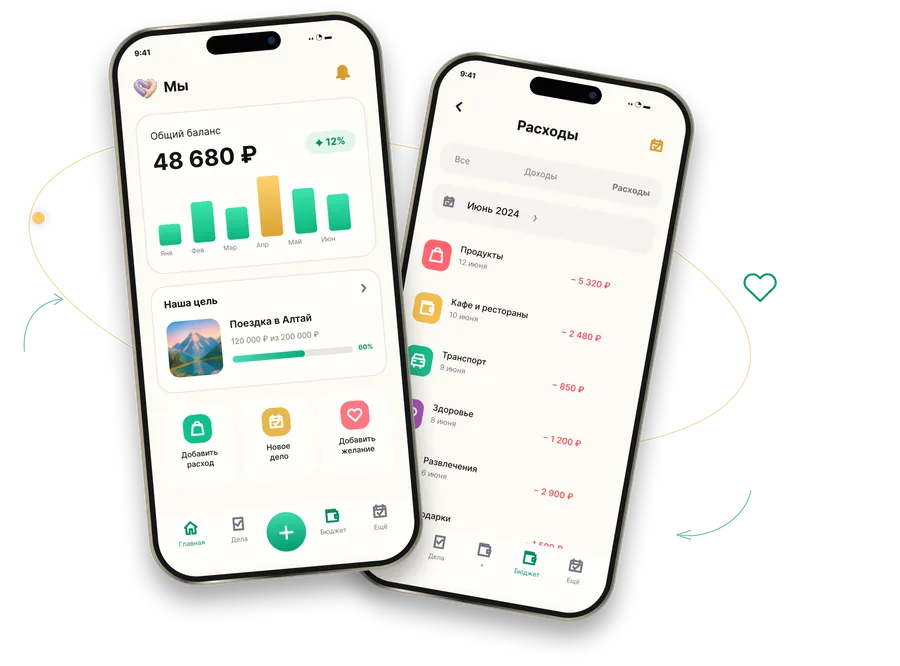
Budget together
Handles money
- Spending and income
- Categories
- Limits
- Records for each person
- Trip wallets
 Мы
One shared space for two: money, tasks, dates and wishes in one place instead of five apps and a message thread. When one person adds something, the other sees it straight away.
«Мы» has two sections, with one button to switch between them.
Handles money
Handles everything else
Amount, category, date, comment and receipt photo. You can enter an expression for the amount: 250+120 is calculated automatically.
Totals for each person: income and expenses recorded in their name. You can adjust a balance manually; the app adds an “Adjustment” entry instead of rewriting history.
Shows whether spending is within the limit for this point in the month or running ahead of plan, before the money runs out.
More about limitsA separate wallet for each trip, with its own currency and exchange rate. Trip expenses are kept separate from the everyday budget.
More about tripsCustom income and expense lists with subcategories. Set monthly limits for each category, for example “Groceries: no more than 30,000”.
A checkbox hides an entry from your partner to keep a surprise. You can choose the date when it becomes visible automatically.
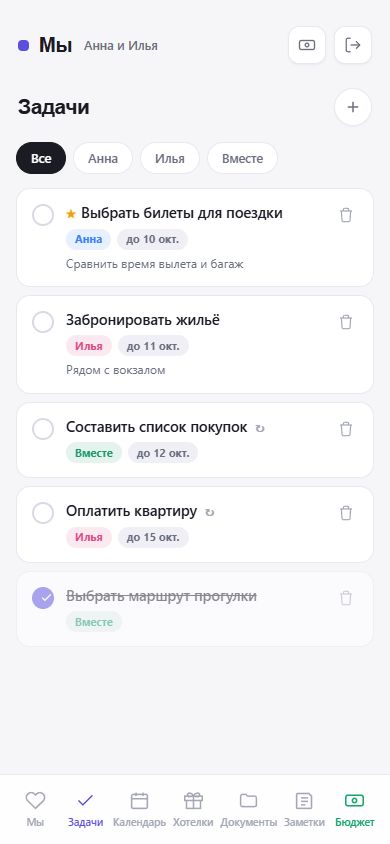
Tasks for yourself, your partner or both of you, with a due date, an important flag and a repeat interval for recurring chores.
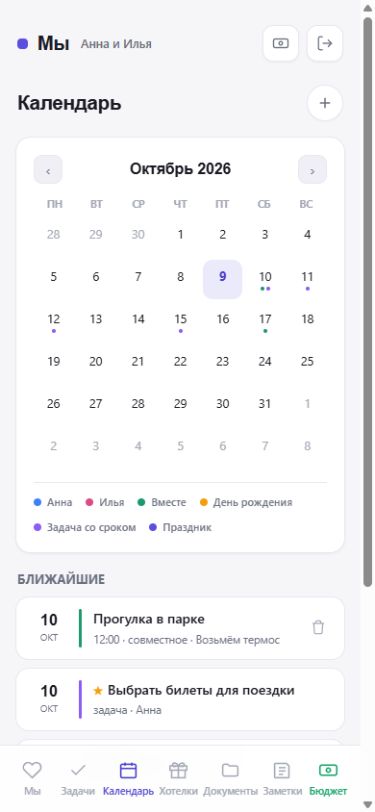
Events, birthdays and anniversaries. Upcoming items appear on the home screen, and you can subscribe to the calendar on your phone using a separate link.
A wishlist with a price, photo and link; details are fetched automatically. Plans break bigger goals, such as a trip or renovation, into steps.
A shared notebook for anything that does not fit into a task: lists, ideas and links.
Loyalty cards with barcodes and important documents, protected by a separate PIN you choose.
A quick way to decide: a question, a few options and results once both have answered. A time capsule is a letter that opens on a chosen date.
Both people use one space and see the same records. Changes appear for your partner immediately, without refreshing the page.
Learn more on the “How to use” page; read about data protection under “Security”.

Registration takes a minute and does not require email confirmation. You can use the app for free.
Create a shared space